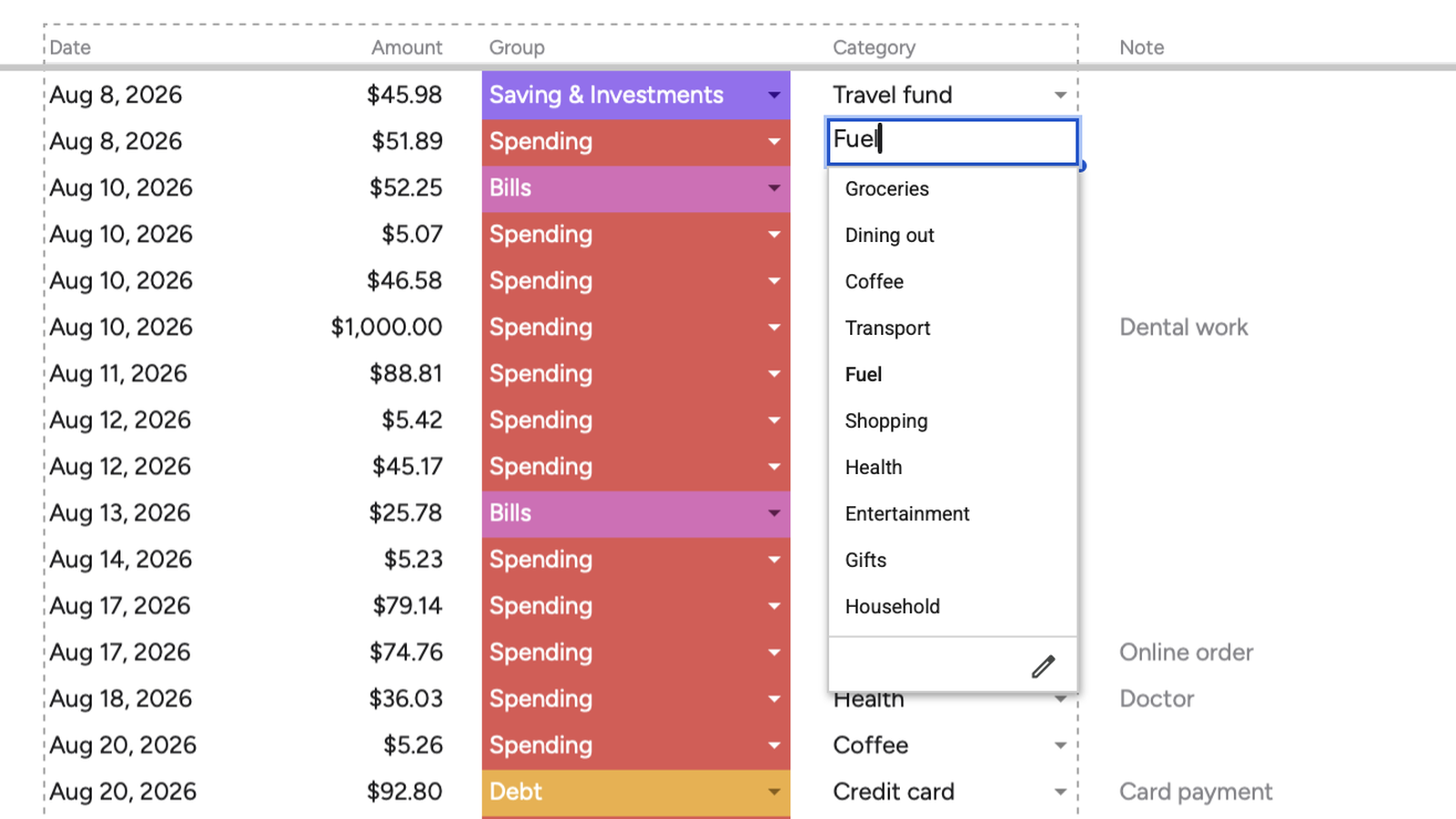
Logging never goes through the dashboard.
A purchase is four fields and a row. Logging and looking happen in different tabs, on purpose: the dashboard is there when you want it, not something you walk through every time you spend.
A budget planner for Google Sheets. You log what you spend, and the rest fills itself in.
$49 · One payment
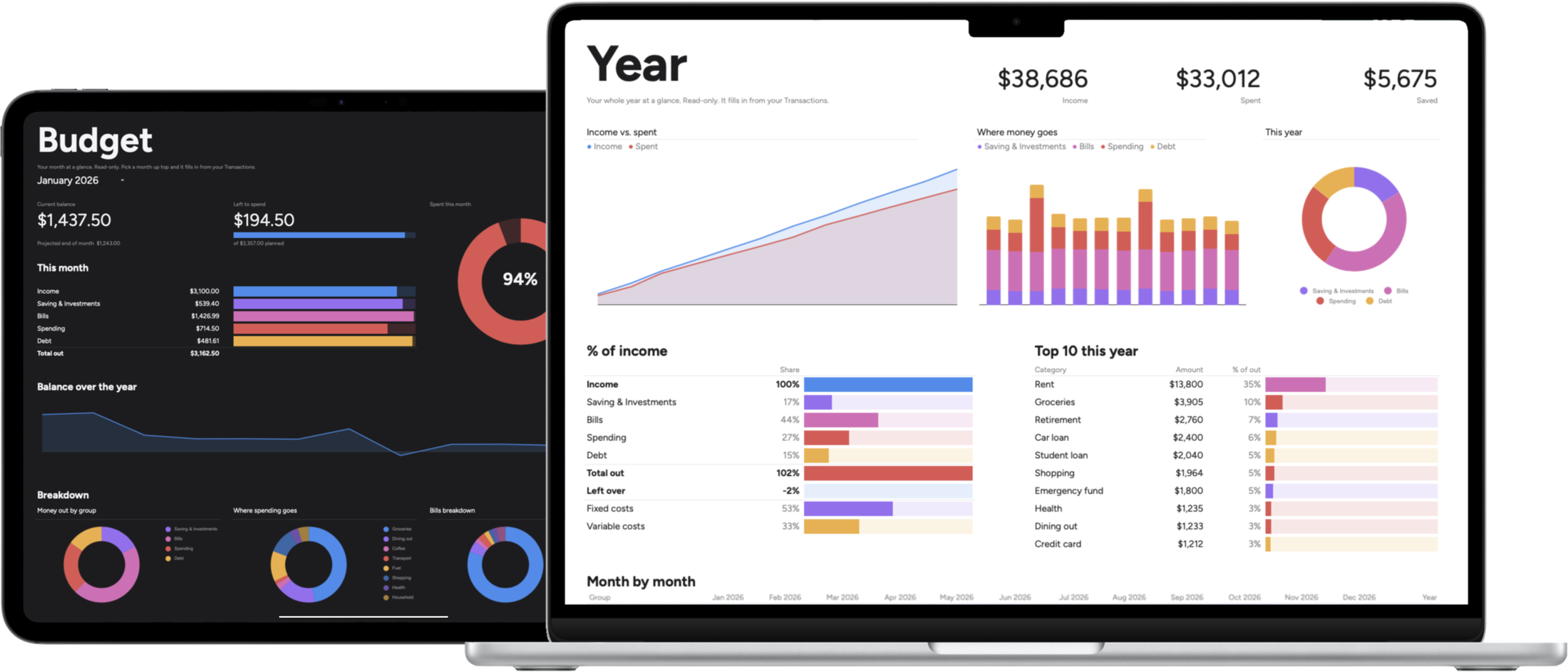
Imagine opening one file and seeing it all at a glance: what came in, what went out, what is left.
Ten minutes a month, and the guessing stops. Not a stricter life, just a clearer one.
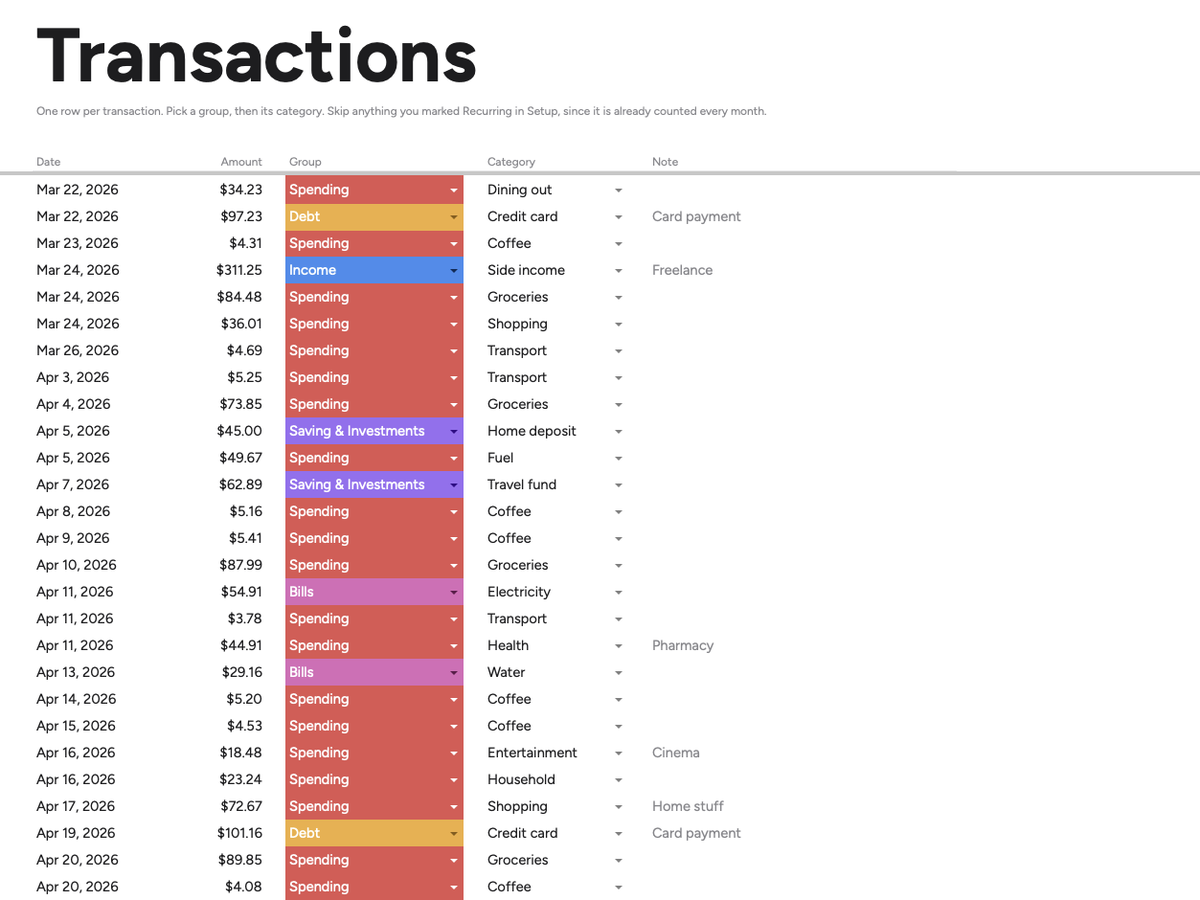
One row per purchase. Pick a group and the category list narrows to match. Once you are set up, it is the only tab you type into.
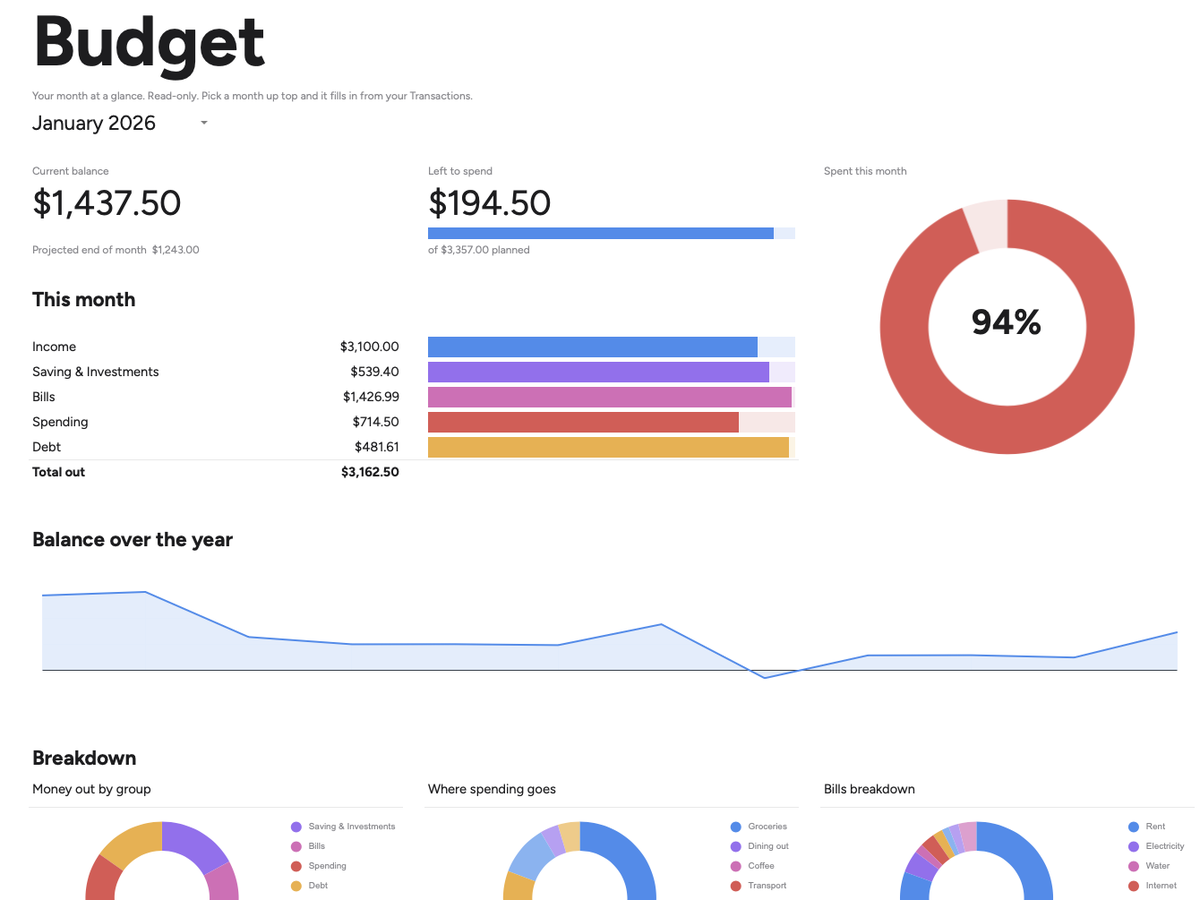
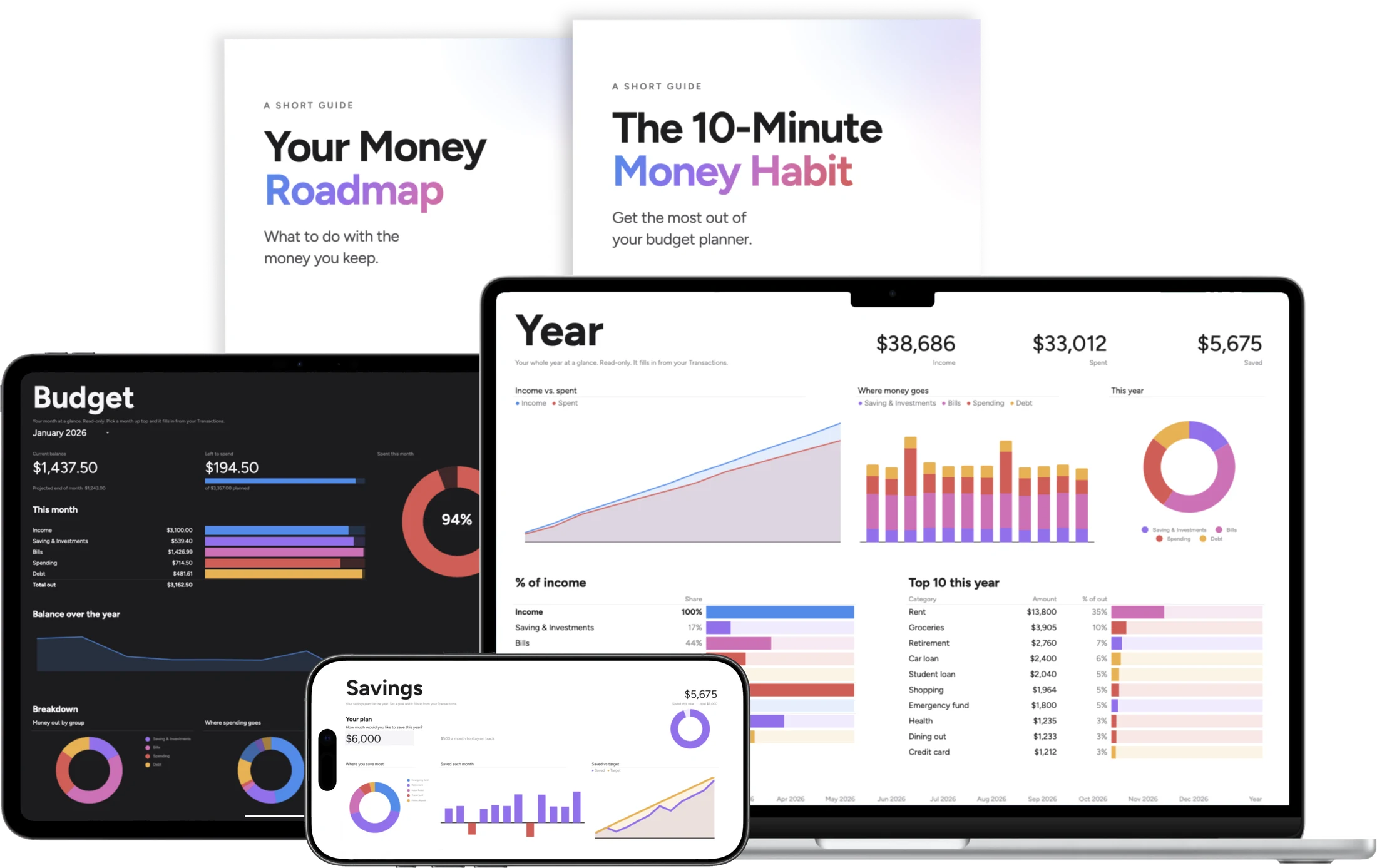
Your month, filled in for you. Pick a month at the top and every bar, total and donut follows.
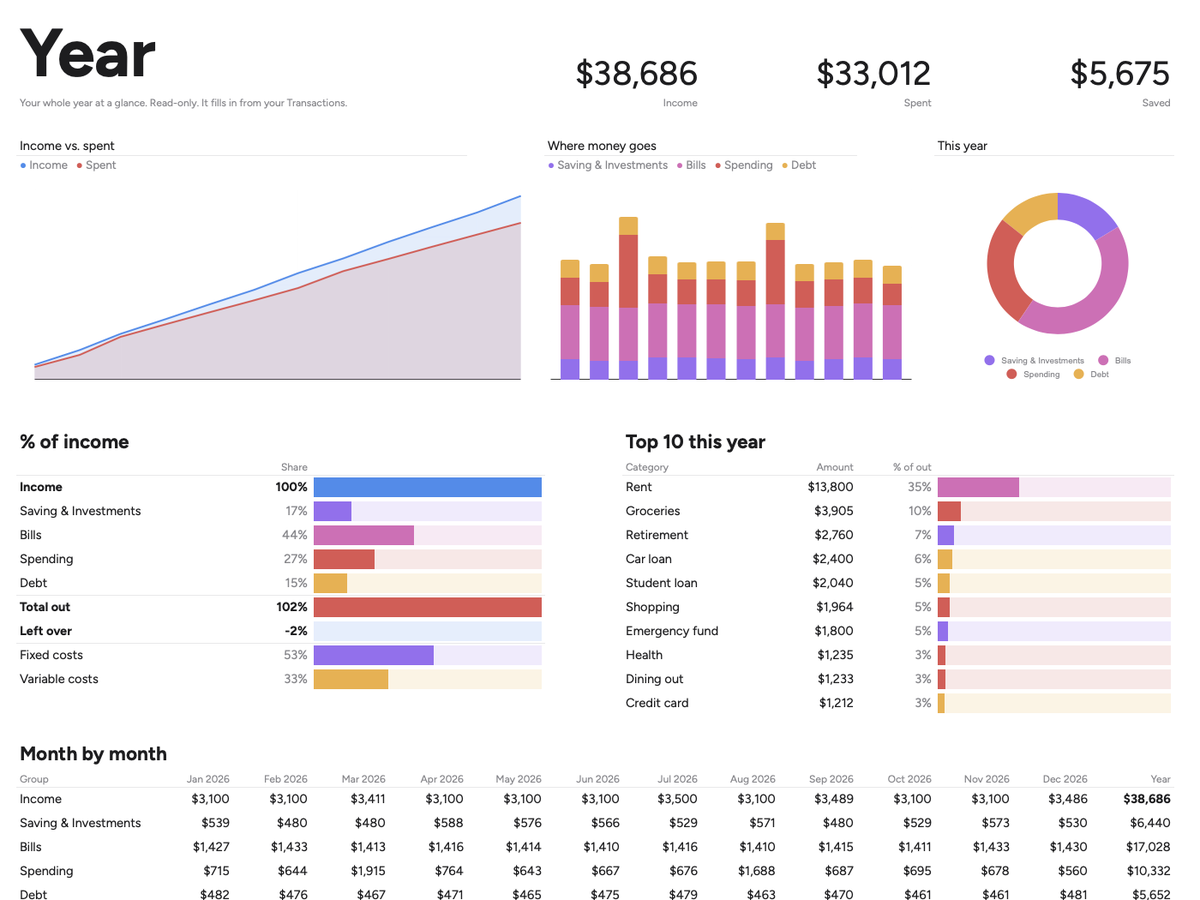
Twelve months side by side. What came in, what went out, and how much you kept.
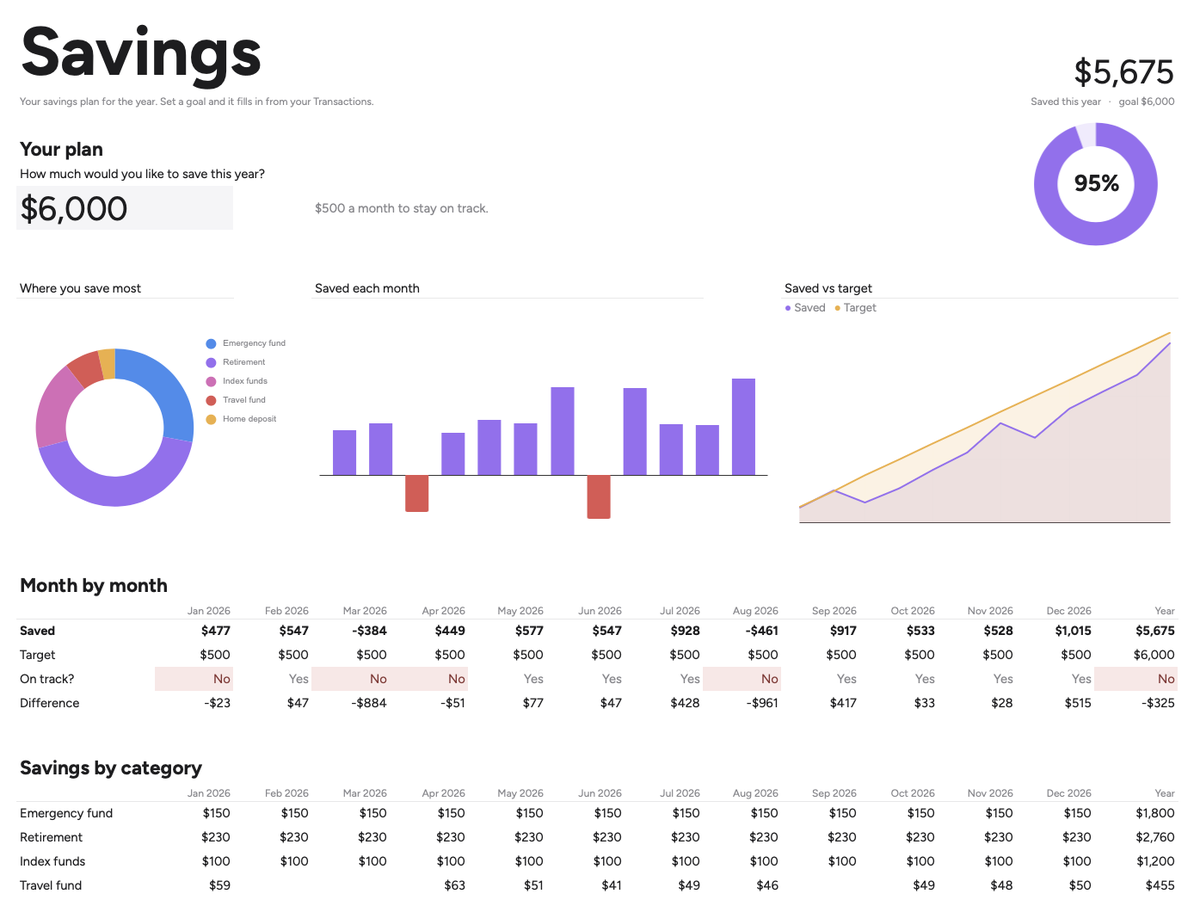
One goal, tracked all year. Name the number you want to save this year, and watch it get closer every month.
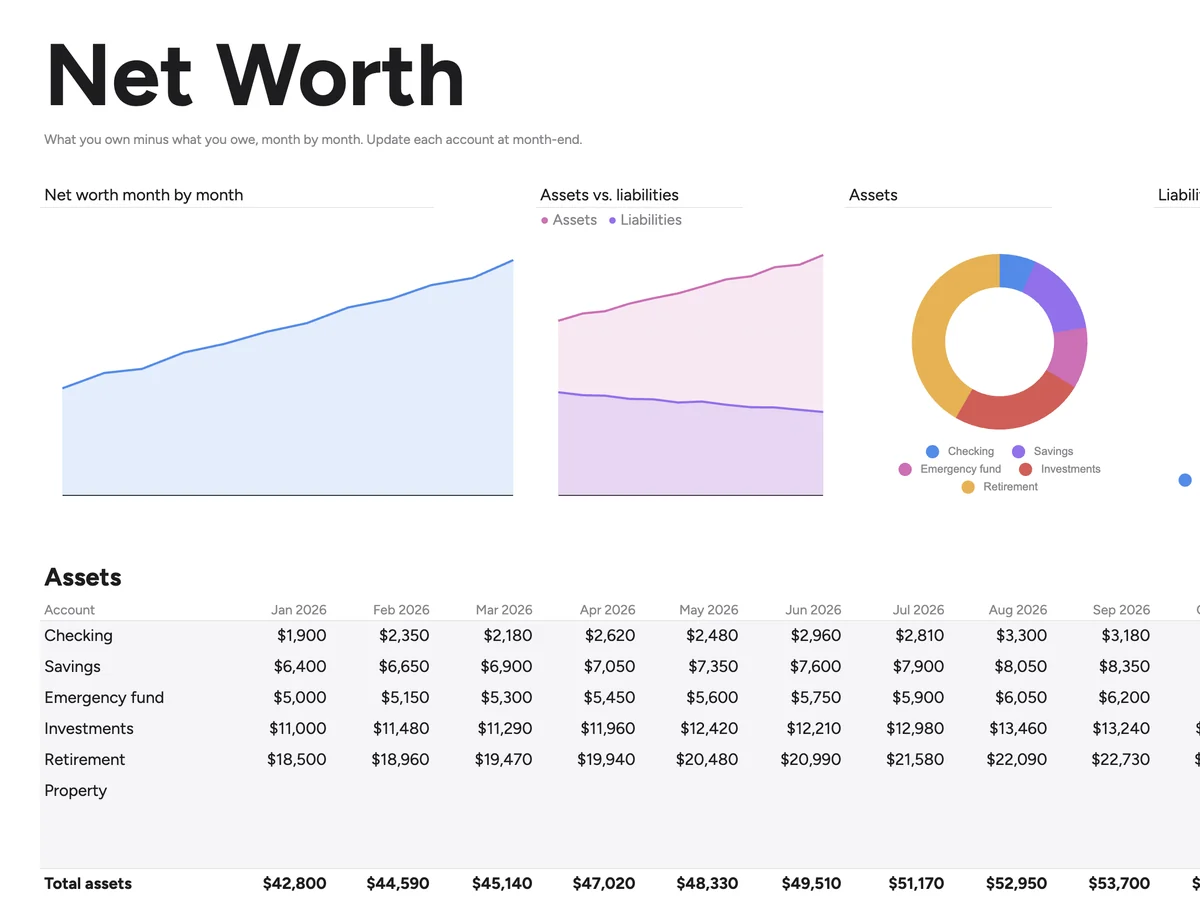
What you’re worth. What you own minus what you owe, every month. The line you want going up.
Click Use template. Your own private copy lands in your Google Drive.
Set your categories and what you plan to spend. Tick the ones that repeat and you never log them again.
Log what you spend. Four things per row.
Open the dashboard. It is already filled in.
A 6-minute video comes with the planner and walks through all four, start to finish.
Every planner is easy to buy and easy to drop. Two things here are built against that.
A purchase is four fields and a row. Logging and looking happen in different tabs, on purpose: the dashboard is there when you want it, not something you walk through every time you spend.
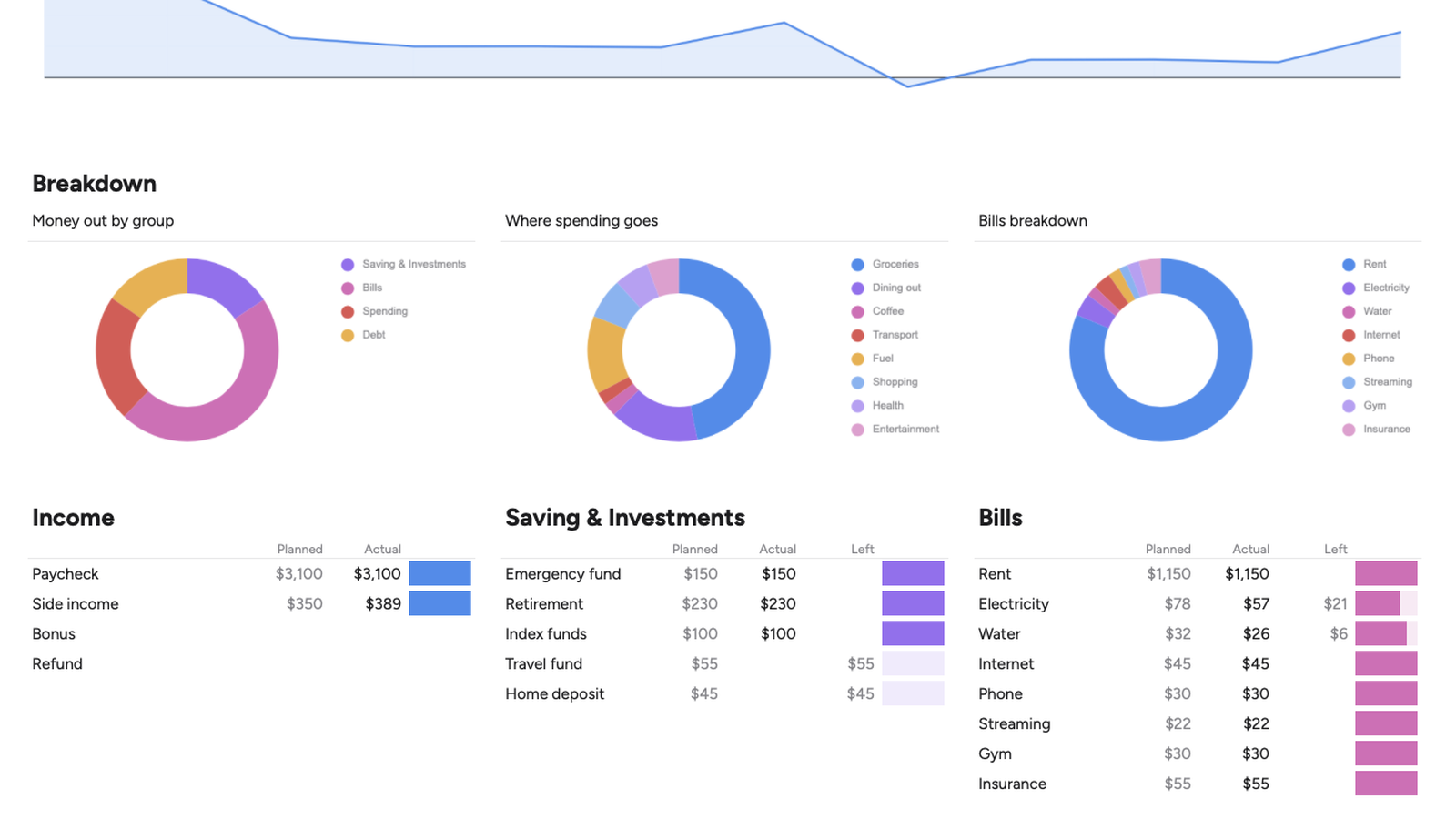
Most budget templates are a chore to look at. This one is quiet and readable: five groups, each with its own shade, on every tab. Wanting to open it is the whole reason you keep opening it.
Two short guides come with the planner, with pages you fill in and come back to. They cover the two places people get stuck.
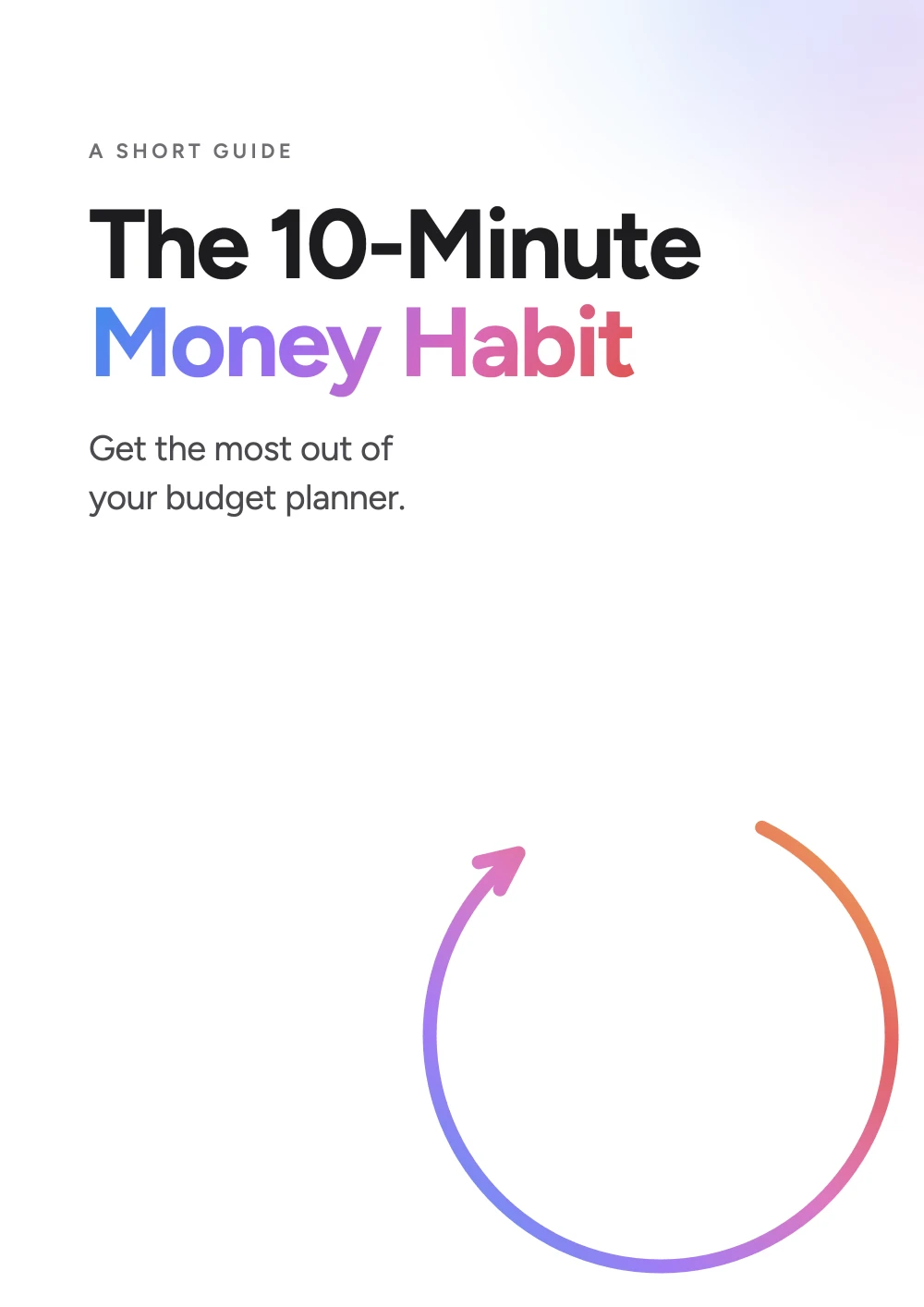 Included
The habit is what makes it work. The day to pick, the ten minutes it takes, and how to pick it back up if a month gets away from you. With a card for your year.
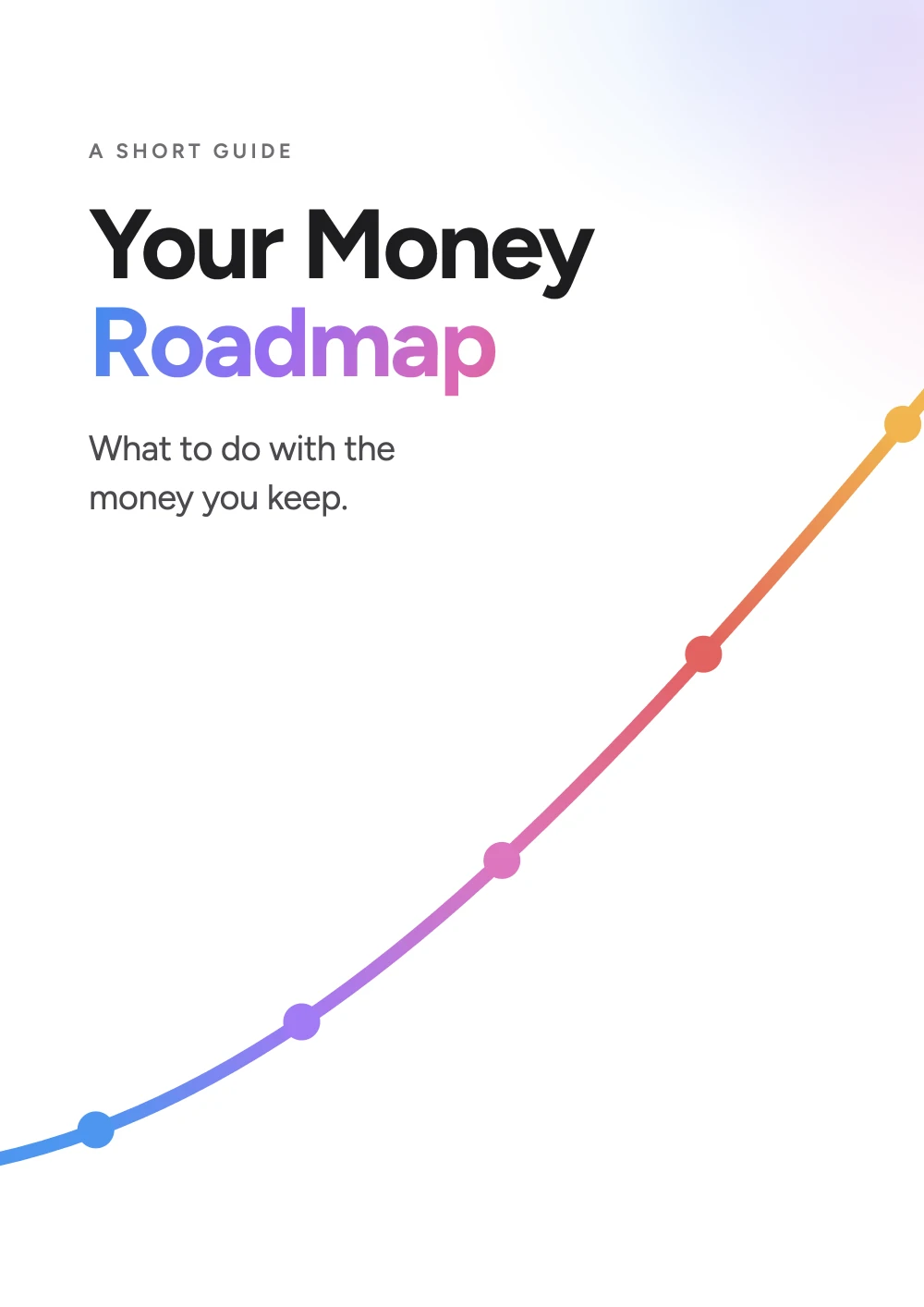 Included
Money with no plan just sits there. Five milestones in the order that works, from a first small cushion to money that grows on its own, so you always know which one you are on. With a tracker to fill in as you go.
The same planner, twice. Use the one you like and keep the other for whenever you change your mind. No extra to pay, and nothing to switch on.
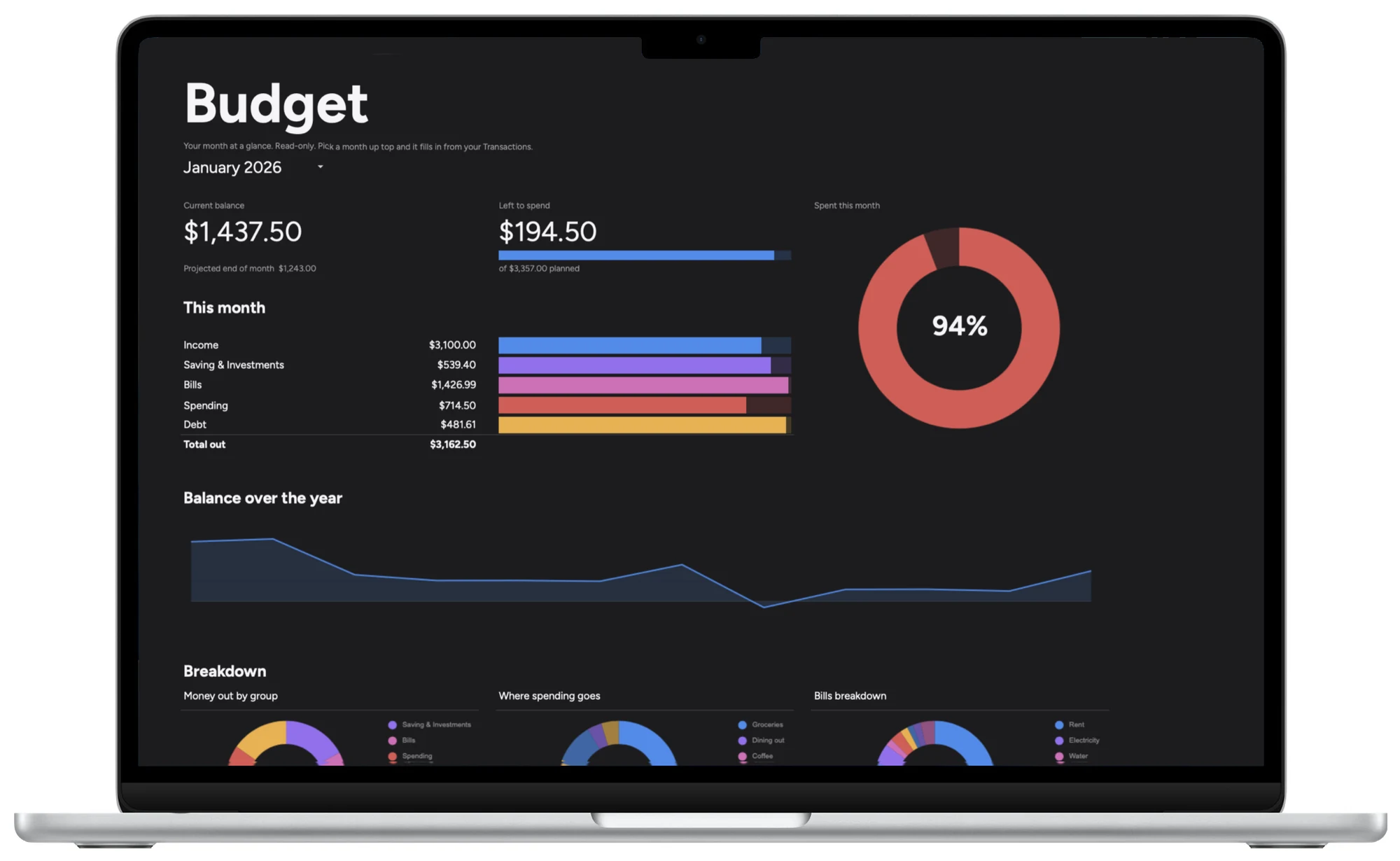
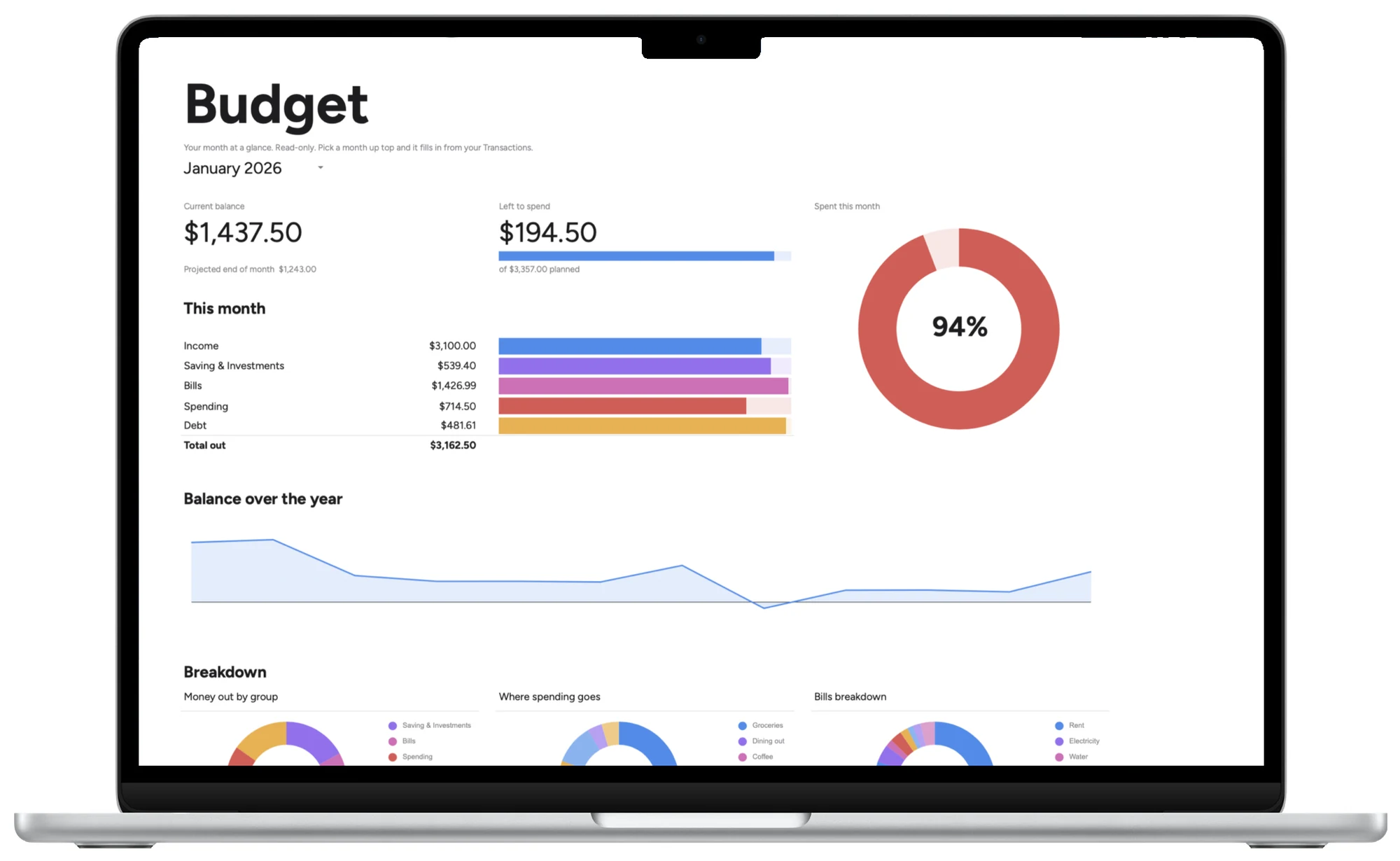
Good to know
You pay, and your files are ready straight away. We email you the link too. Open the Start Here PDF, pick light or dark, click Use template, and your own copy is in your Drive.
About two minutes, from paying to your first month on screen.
Use it for a couple of weeks. If it is not the planner you keep, email us and we will refund you in full. No form to fill in.
No. If you can type into a box, you can use this. Every cell you are meant to touch has a light grey fill, and everything else works itself out. There is also a short video that walks through setup from start to finish.
Yes, a free one. That is all Google Sheets asks for, and you may already have one through Gmail or an Android phone.
No. It is built for Google Sheets and only Google Sheets. The dashboards run on Sheets formulas, and that is exactly what keeps it free to use, open on any device you already own, saved as you type, with nothing to install. If Excel is where you live, this is not the right buy, and we would rather tell you now.
Yes, in the Google Sheets app. Adding a row from your phone works fine. The dashboards are worth a bigger screen.
Yes. It is your file, and it is meant for you and the person you share money with. Not for a team, a group or a workplace.
Undo puts it back. If it is worse than that, open a fresh copy from the link you were sent and start again. Nothing you do to it is permanent.
You open a fresh copy from the same link you were sent, or from the link inside the planner itself. Same planner, empty, ready to start in whichever month you like. There is nothing new to buy, that year or any year after.
No. You pay once and it is yours to keep. There is no renewal, no account to keep, and no card kept on file.
Email us within 14 days and we will refund you in full. No questions.
One file. Your whole year. Yours to keep.